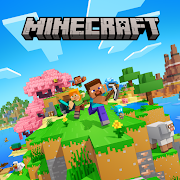
Minecraft: Dream it, Build it! Mod APK 1.26.30.5 [Mod Menu]
100% working
Update on: 2026-03-05
↓ Please help us to stop spam robots ↓
-
Minecraft: Dream it, Build it! Mod Apk [Mod Menu] 1.26.30.5MOD MenuDownload (889.4 MB)
-
Minecraft: Dream it, Build it! Mod Apk [Paid for free][Unlimited money][Free purchase][Mod Menu] 1.26.2.1 -
Minecraft: Dream it, Build it! Mod Apk [Unlocked] 1.26.1.1Immortality, UnlockedDownload (881.39 MB)
-
Minecraft: Dream it, Build it! Mod Apk [Mod Menu] 1.26.0.25MOD MenuDownload (885.24 MB)
-
Minecraft: Dream it, Build it! Mod Apk [Unlocked][Mod Menu] 1.26.0.23
Before You Download
Device Compatibility: This MOD APK may be optimized for specific processor architectures (ARMv7, ARM64). For a smooth experience, verify your device's CPU using an app like CPU-Z from the Play Store.
Security Settings: Google Play Protect may flag this file. This is a standard warning for all third-party installations. You will need to temporarily disable it to proceed.
Trusted Source: You are downloading from the official HappyMod repository. Please only enable "Unknown Sources" for the duration of this installation.
Installation Guide
Step 1: Allow Installation from Unknown Sources
- Go to your device's Settings > Security (or Apps & Notifications > Special app access).
- Locate and enable "Install unknown apps" or "Unknown Sources".
- Grant this permission to your Browser (Chrome, Firefox, etc.) or File Manager app.
Step 2: Install the APK File
- Tap the "Download" button on this page.
- Once downloaded, open the notification or locate the .apk file in your "Downloads" folder.
- Tap the file to start the installation.
- Follow the on-screen instructions and press "Install".
Step 3: Enjoy!
- After installation is complete, tap "Open" or launch the app from your home screen
Troubleshooting & Support
- Installation Failed? Check that you enabled "Unknown Sources" for the correct app (your browser). Also, ensure your device meets the architecture requirements mentioned above.
- App Not Working? Please check the "Mod Features" section on this page for known compatibility information.
Frequently Asked Questions
How can I gather resources in Minecraft: Dream it, Build it?
You gather resources by exploring the world and interacting with objects. You can mine blocks, chop trees, and collect items found in chests. Use the crafted tools to make the gathering process faster and more efficient.
What are the main objectives in the game?
The main objectives involve building structures, exploring the environment, crafting items, and surviving against various challenges. You can complete specific quests or simply have fun creating your own unique world.
How do I craft items in Minecraft: Dream it, Build it?
To craft items, access your crafting menu. Combine different materials in the grid according to the item recipe. You can unlock more complex recipes by discovering new materials and experimenting with combinations.
How do I create a shelter to survive the night?
Building a shelter is crucial for survival. Here's how: 1. Gather resources like wood, stone, and dirt. 2. Choose a flat area to build. 3. Construct walls and a roof using gathered materials. 4. Add a door for easy access.
Can I customize my character in the game?
Yes, you can customize your character by selecting different skins and outfits in the character menu. You can unlock additional skins by completing quests or exploring the world.
![]() | HappyModBest mod downloader |
Popular Mods
People who download Minecraft: Dream it, Build it! Mod also like...
Motor Speed Mod Apk [Unlimited money]
Bike Mayhem Mod Apk [Unlocked][Free purchase]
Hono Truck Mod Apk
Mod Menu
Piano Fire 2: Slide Challenge Mod Apk [Unlimited money]
Pizza Dash: Moto Delivery Mod Apk [Unlimited money]
No Ads
Mod Menu
Steal a Memerot Mod Apk [Remove ads][Unlimited money][Free purchase][No Ads]
No Ads
Mod Menu
Stick King Returns Mod Apk [Free purchase][Unlimited money]
Aerofly FS Global Mod Apk [Unlocked]
Zombie Hunter 2 Mod Apk [Remove ads][Free purchase][Unlimited money]
Unable to play on Android 12 or below